> ## Documentation Index
> Fetch the complete documentation index at: https://docs.everprotec.com/llms.txt
> Use this file to discover all available pages before exploring further.
# Authentication
> Here is how to authenticate your API requests
## Overview
All API requests are authenticated through a standard Basic Auth header. This should be supported by default through your language specific http library, however we've included the sample header below and explanation in case it is not.
```Example Basic Auth Header theme={null}
Authorization: Basic YWxhZGRpbjpvcGVuc2VzYW1l
```
The basic authorization token in the example header above is a Base64-encoded **username:password** string.
## Finding Your Credentials
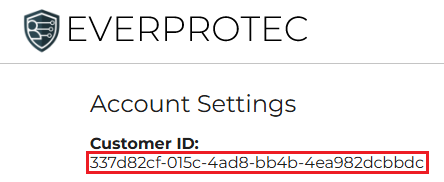
The **username** in your credentials is your **Customer ID**, which can be found in your [account page](https://dashboard.everprotec.com/account)
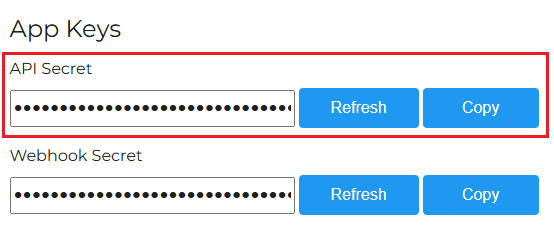
 The **password** is unique to each website in your account [website dashboard](https://dashboard.everprotec.com/web). In the settings page for the site you want to generate verification invitation links for, you can locate the **API Secret** in the **App Keys** section. The **API Secret** is used as the **password** in the basic auth header for your API requests related to this site.
 Remember to keep your credentials secure. Do not share or publish them to repositories!