Integration Overview
In this document you will find two workflows for managing your Age Gateway integration. These workflows will cover the process of generating a verification session and receiving the results.Starting the Verification Session
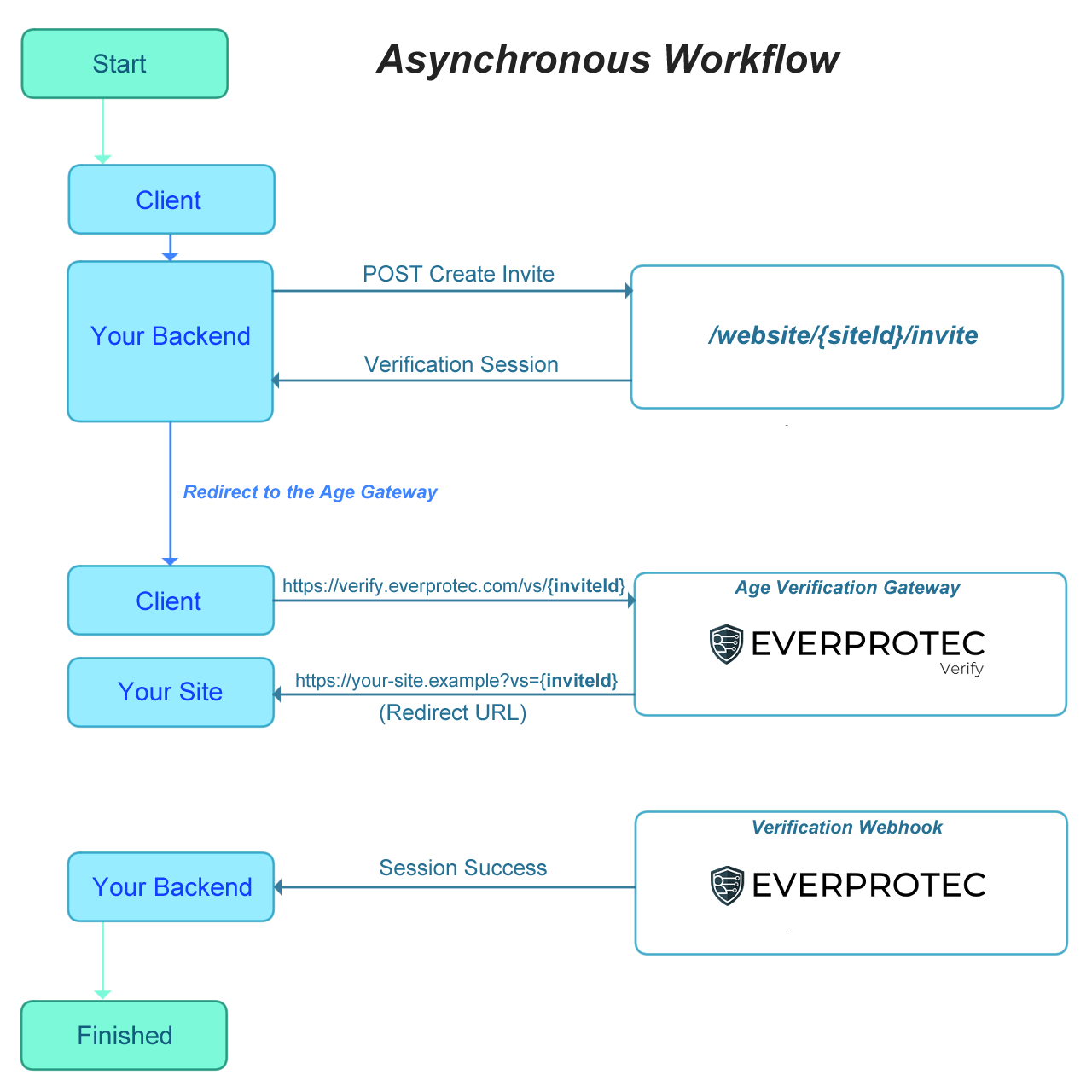
All workflows begin with generating a verification session by making a Create Invite POST request to the Everprotec API. This request should come from your website’s backend in order to keep credentials private. The response will contain a link to the age gateway with the correct inviteId for the verification session in the URL. You can redirect the user to this URL so they can begin verifying. When the age verification session has been completed, the user will be redirected to your site based on the configuration in your website dashboard. The redirect to your site will contain URL parameters that you can use to match the user in your system and request the status of the verification session.Synchronously Getting the Verification Status
To retrieve the status of the verification session, read the Invite ID that is contained in the vs parameter attached to the redirect URL. This will need to be provided to your backend in order to make a secure request to our API. Finally, make the Invite Status GET request to the Everprotec API to get the verification status.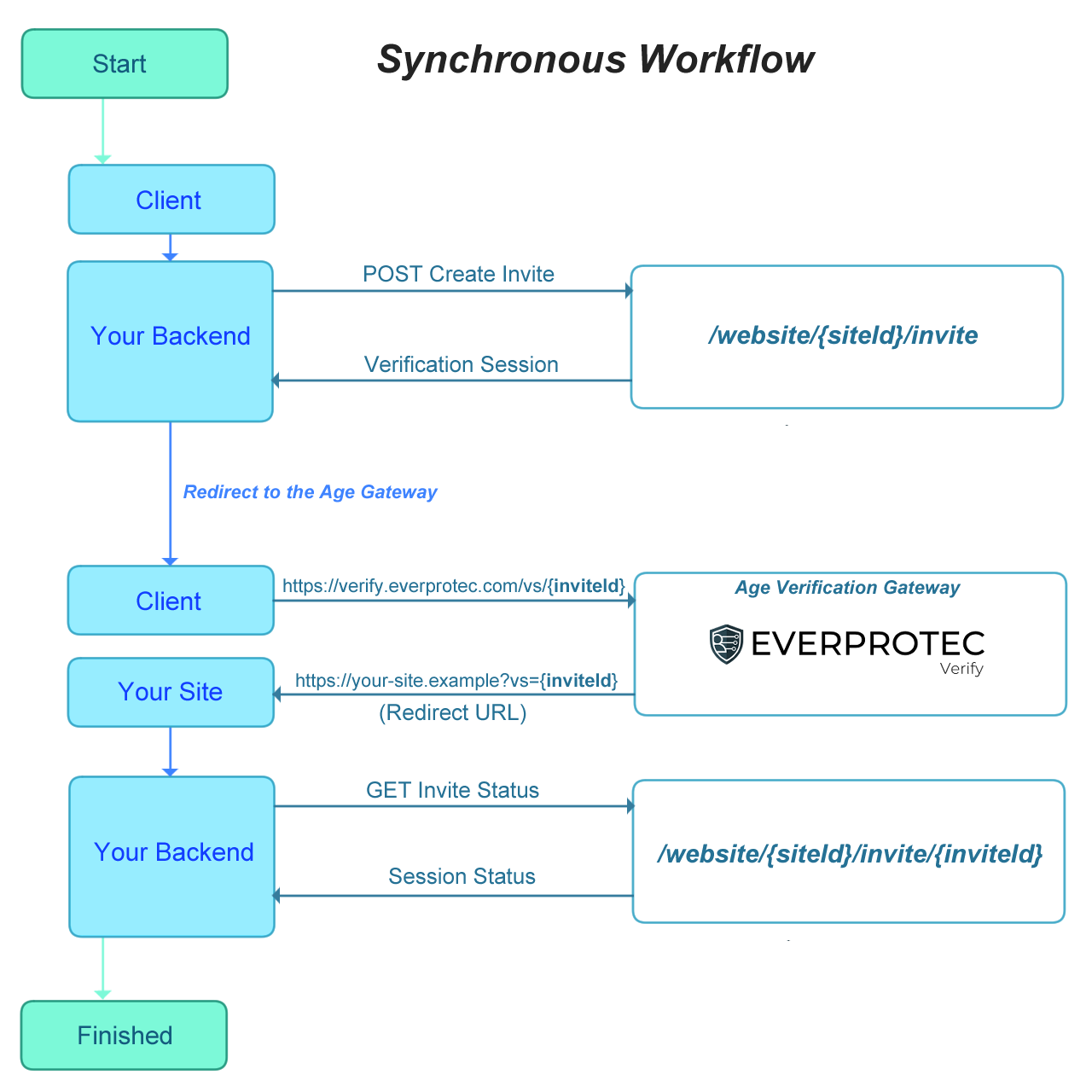
Asynchronous Getting the Verification Status
When you prefer to process the age gateway verification session status from a webhook message, we can submit a request to your endpoint when the verification session is successfully completed. You can view the webhook message format here and follow our webhook documentation to learn how to configure the webhook and securely handle messages sent by us.